How to Back Up a FiveM Server (Database, Resources & server.cfg)
Tutorials · 3 min read · Published: 2026-08-12 · Updated: 2026-08-12
Almost nobody sets up backups because they planned for disaster. Most server owners set them up the week after losing something, a corrupted table, a botched SQL import, a VPS that just died. By then the damage is already done, and the manual backup routine people always mean to keep up with rarely survives contact with a busy server.
What actually needs backing up
The database is the part everyone thinks of first, and it's the most important: player money, inventory, houses, vehicles, jobs, everything persistent lives there. But your resources folder and server.cfg matter too. A bad script update, an accidental overwrite, or a botched merge can break your server just as completely as losing the database, and if you haven't kept a copy of the working version, you're rebuilding from memory.
Doing it manually
On Linux, a standard database dump looks like this:
mysqldump --single-transaction --quick \
  -u your_user -p your_database > backup_$(date +%F).sql
The --single-transaction flag takes a consistent snapshot without locking tables, and --quick streams rows instead of buffering them in memory, both matter on a database that's actively being written to by a live server.
That command works fine as a one-off. The problem is consistency. Backups you have to remember to run get skipped during busy weeks, forgotten after a late-night server session, or run right before you make a change instead of on any kind of schedule. The backup you actually need is the boring one that happens automatically whether you remember or not.
What an automated backup setup should actually do
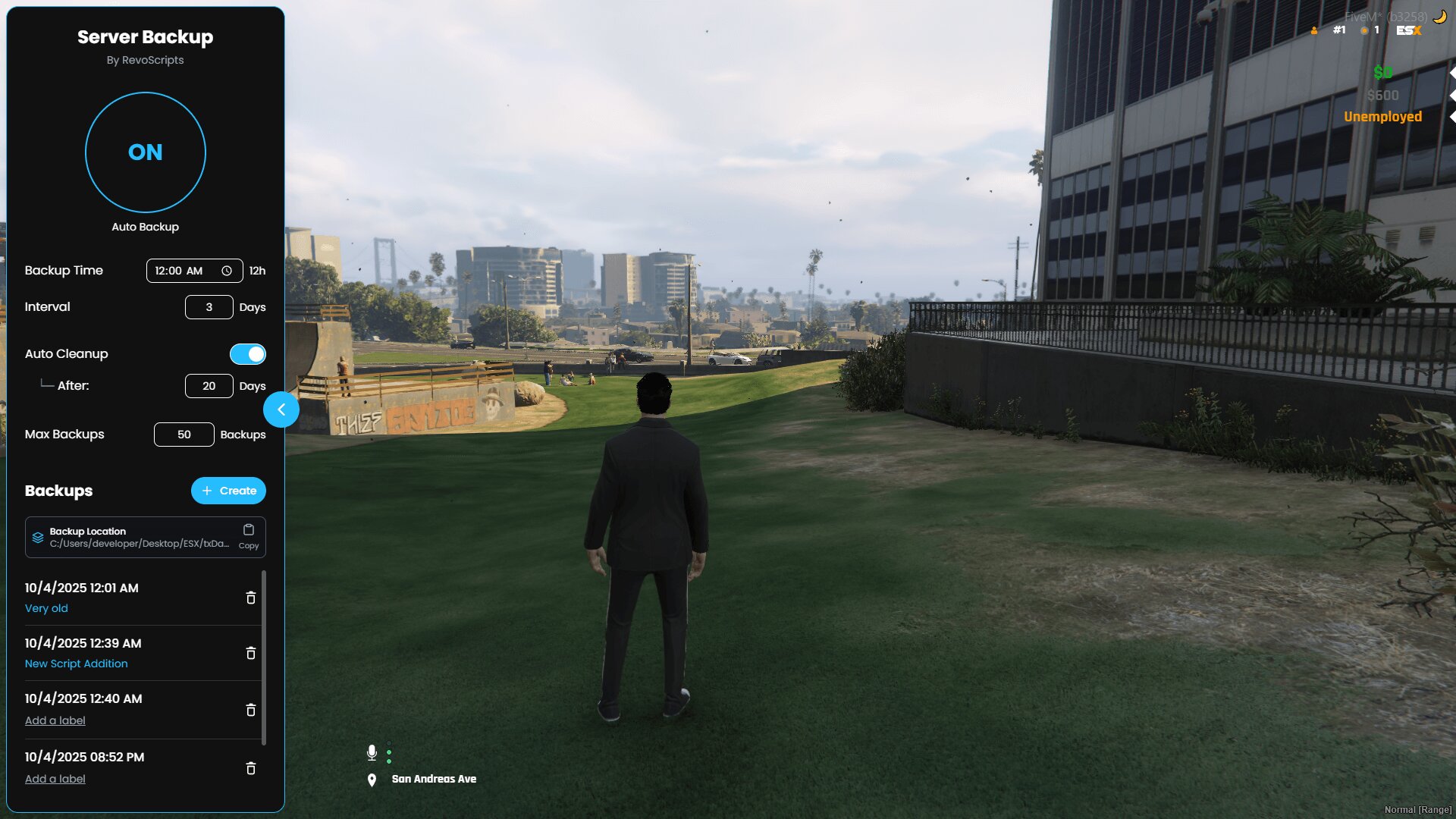
- Run on a schedule you set, not a fixed interval you can't change. A busy 100-player server and a small friends-and-family server don't need the same backup frequency.
- Clean up old backups automatically after a set number of days, so you're not manually deleting files or watching disk usage creep up.
- Cap the total number of stored backups so a runaway schedule can't fill your disk.
- Let you label a specific backup, so the one you took right before installing a risky new script is easy to find later instead of buried in a list of timestamps.
- Support a one-click restore. A backup you can't restore quickly under pressure isn't much better than no backup, since the moment you need it is usually the moment your server is down and players are watching.
Automate this with Revo Backup
Test the restore before you need it
You don't actually know a backup works until you've restored it. Once your backups are running on a schedule, actually restore one, ideally on a staging server or local copy, and confirm the data comes back the way you expect. This takes twenty minutes and it's the only way to know your backup routine works before the day you're relying on it under pressure.
Store backups somewhere other than the same disk as your live server if you can. A VPS failure that takes down your server files can just as easily take down backups sitting next to them. Off-server storage, even something as simple as syncing to a separate drive, is what actually protects you from the worst case instead of just the easy ones.